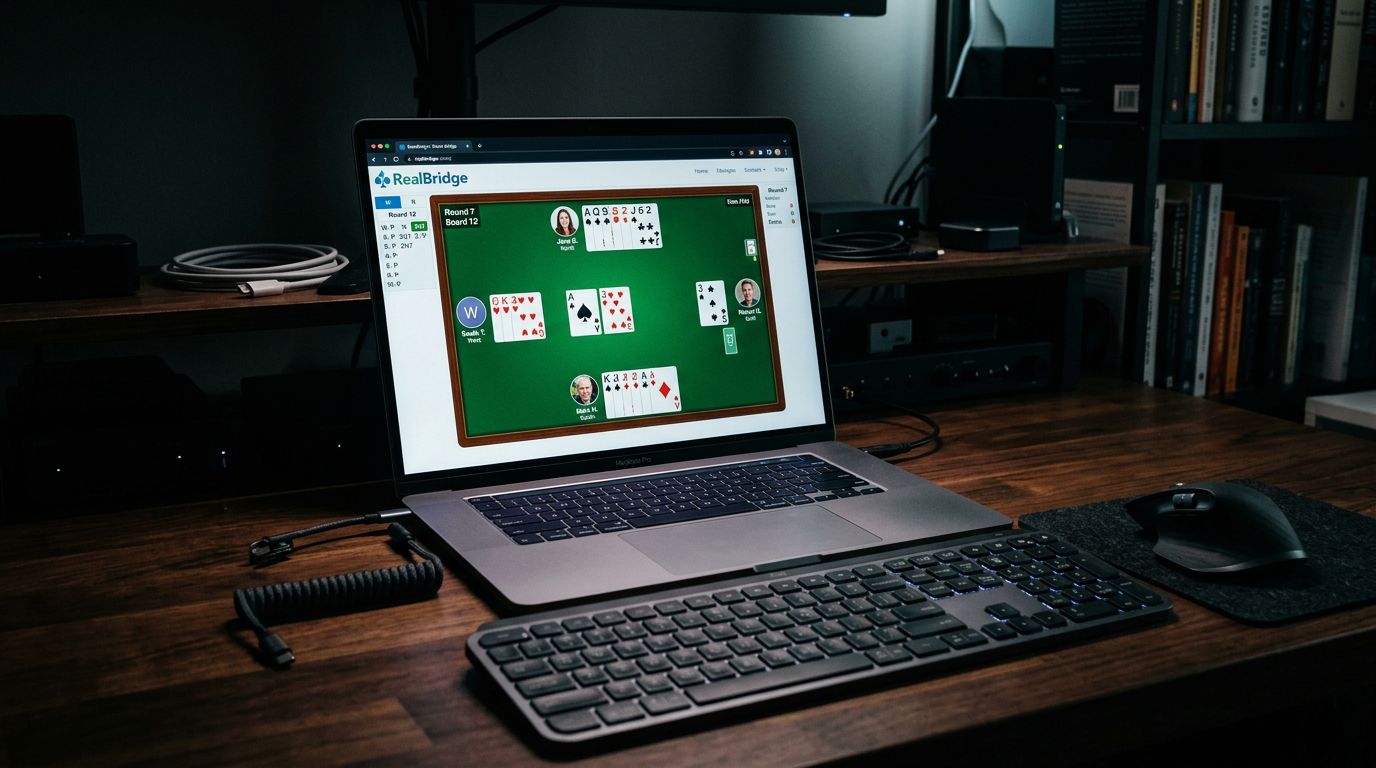
RealBridge Complete Guide
RealBridge answered the question nobody knew they needed to ask: what if online bridge felt like actual bridge?
When COVID shut down clubs in 2020, RealBridge exploded. While other platforms had you playing against usernames, RealBridge put you on video with your partner and opponents. You could see faces, hear voices, joke between hands. It brought the social part back.
The pandemic’s over, but RealBridge stuck around. Clubs use it for regular games. Teams use it for matches. World Bridge Federation runs major tournaments on it. If you miss seeing people while playing cards, this is your platform.
What Makes RealBridge Different
Video conferencing is built into the platform. When you sit down to play, you see four video windows - you, your partner, and both opponents. Camera required.
Voice works automatically. Talk to the table just like you would in person. Discuss the hand after it’s over, chat between rounds, apologize when you butcher a simple finesse.
The interface is clean and modern. Cards are clear, bidding is easy to follow, and everything feels polished. If BBO looks like 2001, RealBridge looks like 2024.
Face-to-face interaction changes the feel completely. You’re not playing against anonymous usernames. You’re playing against Janet from the local club and some couple from Australia. It’s bridge, not computer solitaire.
Getting Started: System Requirements
You need a webcam. Phone camera works, laptop webcam works, external webcam works. But you need one. No camera, no RealBridge.
You need a microphone. Built-in laptop mic is fine. Headset is better to avoid echo. Whatever you use for Zoom calls will work.
Internet connection matters. Video uses bandwidth. If your connection struggles with Netflix or video calls, RealBridge might be choppy. Wired connection beats WiFi when possible.
Computer or tablet recommended. You can play on a phone, but the screen gets cramped with video windows and cards.
Web browser is all you need. Chrome, Safari, Firefox, Edge all work. No software to download. Just go to the website and play.
Creating Your Account
Go to realbridge.online and create an account. Email address, password, your name. Simple registration.
Profile settings let you add a photo. Recommended - it shows up in games when your camera’s off. Better than blank placeholder.
Link your national bridge organization number if you want. For Americans, that’s your ACBL number. Makes it easier for directors running sanctioned games.
Set your privacy preferences. You can control who sees you online, who can invite you to games, whether strangers can contact you.
Test your audio and video before your first game. Settings menu has a test feature. Make sure you can see yourself and hear yourself. Fix any problems now, not when the game starts.
Finding Games: How RealBridge Works
RealBridge doesn’t have a lobby full of random pickup games like BBO. Instead, you join organized sessions run by clubs or organizers.
Club games are the main option. Bridge clubs (online-only or regular clubs running online sessions) schedule games. You register, show up at game time, get assigned to a table.
Private games happen when someone creates a session and invites specific players. Team matches, practice sessions with friends, private tournaments.
WBF tournaments run periodically. World Bridge Federation uses RealBridge for international events. These are serious competitions with top players.
Organization games come from groups running regular sessions. Your local bridge association might run weekly games on RealBridge.
You don’t just log in and find a game instantly like BBO. You need to find an organized session first.
Joining a Club Game
Find a club running RealBridge sessions. Your local bridge club might have moved online. Online-only clubs exist too. Many advertise on social media or bridge forums.
Most clubs have websites or Facebook pages listing their game schedules. “Monday 7pm Pairs, Wednesday 1pm Swiss” - that kind of thing.
Register for the game. Some clubs require membership, others are open to anyone. Entry fees vary - free to $15 depending on the club and whether it’s sanctioned.
Some clubs use external sites for registration (like bridgewebs.com) then send you the RealBridge link. Others handle everything through RealBridge.
Show up at game time. You’ll get a link or session code. Click it, you’re in the game. Director assigns tables, and you’re playing.
The director runs the session just like in-person. They handle movement, answer questions, resolve disputes, keep things running smoothly.
The Playing Experience
When the game starts, you join your table. Four video windows appear - one for each player. You see everyone, they see you.
Audio is open by default. You can talk freely. Most tables chat between boards - “Nice defense,” “Should’ve bid that game,” standard bridge table talk.
Cards appear in the middle of the screen. Click to bid, click to play. The interface is intuitive. If you’ve played cards on a computer before, you’ll figure it out in 30 seconds.
Alerts work like at the table. Alert your artificial bids, explain when asked. The alert button is right there in the bidding box.
Undo is available if everyone agrees. Misclick? Ask for undo. Most people are reasonable about obvious mistakes.
Claim button works like in-person bridge. State your line, opponents can accept or dispute. Director gets involved if there’s disagreement.
After each board, you can discuss the hand. “Why’d you lead that?” “I thought you had the king.” Normal post-mortem conversation. Move to the next board when ready.
The movement happens automatically. Director advances the round, you get your next opponents. No manual switching tables or dealing with links.
Video and Audio Etiquette
Keep your camera on. That’s the whole point of RealBridge. If you don’t want to be on camera, use BBO instead.
Position your camera at face level. Nobody wants to look up your nose. Standard video call framing applies.
Good lighting helps. Sit near a window or turn on lights. Easier for everyone if they can see you clearly.
Headphones prevent echo. If you’re using speakers and other people complain about echo, switch to headphones.
Mute when you’re not at your table. During breaks, when you’re walking away, mute your mic. Nobody needs to hear your phone call or dog barking.
Dress like you’re going to the club. Not formal, but put on a shirt. Pajamas are for Funbridge playing at midnight.
World Bridge Federation Tournaments
WBF runs major championships on RealBridge. These are the big ones - world championships, continental events, high-level competitions.
Entry requirements are strict. You need to qualify through your national organization. These aren’t casual games.
The level is high. You’re playing against world-class pairs and teams. If you’re not a serious competitive player, you probably won’t be in these events.
Screen rules matter. WBF has strict rules about what you can have open on your computer. No analysis software, no communication tools, just RealBridge. Video monitoring helps enforce this.
Anti-cheating measures are serious. Video, screen monitoring, analysis of patterns. The stakes are high enough that security is tight.
If you get to this level, congrats. You’re playing real championship bridge from home.
Private Tables and Team Matches
You can create your own session on RealBridge. Set up a private table, invite specific players, play whatever format you want.
Team matches work great on RealBridge. Get eight players, split into two teams, play head-to-head. Voice makes discussing hands between sets natural.
Practice sessions with your partner happen easily. Create a table, play against robots or other pairs, work on conventions and agreements.
Teaching sessions use the face-to-face element well. Teacher and student can discuss hands in real-time with voice and video. Way better than text chat.
You can record sessions for later review. Good for analyzing your own play or keeping records of important matches.
Compared to BBO: What’s Better and Worse
RealBridge wins on:
- Social interaction (video and voice vs text chat)
- Modern interface (looks like 2024 vs 2001)
- Human feel (actual people vs anonymous usernames)
- Club atmosphere (recreates in-person games)
BBO wins on:
- Player base (massive vs modest)
- Game availability (instant pickup games vs scheduled sessions)
- ACBL tournaments (dozens daily vs occasional)
- Vugraph and watching features (extensive vs limited)
- Flexibility (play anytime vs scheduled sessions)
RealBridge is better if you value social interaction and regular club games. BBO is better if you want to play at 2am or need constant tournament options.
Many players use both. RealBridge for club games with familiar faces. BBO for tournament grinding and off-hour practice.
Technical Issues and Troubleshooting
Video won’t work? Check browser permissions. RealBridge needs access to camera and mic. Your browser should prompt you, but check settings if it didn’t.
Audio echoing? Someone’s mic is picking up their speakers. Whoever hears echo when they talk should use headphones.
Laggy or choppy video? Close other programs using bandwidth. Stop Netflix in the background. Close extra browser tabs. Get closer to WiFi router or use wired connection.
Can’t hear people? Check your volume. Check that RealBridge isn’t muted in your browser. Make sure your computer volume is up.
Camera showing weird angle? Most platforms let you test video before joining. Do that. Adjust position before the game starts.
Disconnected mid-game? Refresh browser and rejoin. Director can pause the board while you reconnect. Tell the table if you’re having connection problems.
Director can help with technical issues during games. They’ve seen everything and know the common fixes.
Club Differences and Finding Games
Online-only clubs run RealBridge sessions regularly. They exist purely for online play, built communities during COVID, still going strong.
Traditional clubs moved online during COVID and some kept their online games going. You might find your local club runs both in-person and RealBridge sessions.
International clubs let you play with people worldwide. Morning in California might be perfect for an evening game in Europe.
Quality varies between clubs. Some are well-run with strong directors and good players. Others are chaotic with weak fields. Try a few to find what fits.
Prices range from free to $15 per session. Sanctioned games cost more, casual games are cheaper or free.
Masterpoints happen if the game is sanctioned. ACBL-sanctioned RealBridge games award real masterpoints just like in-person. Not every game is sanctioned, so check before entering if points matter to you.
Screen Monitoring and Fair Play
Some serious RealBridge events require screen monitoring software. You install software that shows the director what’s on your screen during play.
This prevents cheating. Can’t use analysis software or get outside help if the director can see your screen.
Not all games require it. Club sessions usually don’t. Major championships do.
Camera rules matter too. Camera needs to show you and that nobody’s sitting behind you feeding information.
For casual club games, trust is assumed. For championship events, verification is required.
Mobile vs Desktop
Desktop is recommended. Bigger screen means you can see cards, video, and bidding clearly without squinting.
Tablets work okay. iPad or Android tablet with good screen size is fine. A bit cramped but playable.
Phones are rough. Technically possible but everything’s tiny. Video windows the size of postage stamps, cards hard to see. Only if you have no other option.
Most serious players use laptop or desktop computer. The experience is just better with screen real estate.
Cost and Subscriptions
RealBridge is free for players. You don’t pay a subscription to use the platform.
Game organizers and clubs pay to host sessions. That cost gets passed to players through entry fees.
Entry fees depend on the club and game type. Expect $5-15 for most games. Free games exist but are less common.
ACBL-sanctioned games cost more because clubs pay ACBL fees. That’s normal.
No robot subscription, no premium features, no paid tiers for players. Just pay to enter specific games you want to play.
Is RealBridge Right for You?
If you miss the social part of bridge, RealBridge is perfect. The video and voice bring back what online bridge typically loses.
If you have a regular club you play with, RealBridge might be how they run online games now. Check with your club.
If you value convenience and playing at 3am, BBO is better. RealBridge needs scheduled sessions with other people.
If you have good internet and decent equipment, RealBridge works great. If your connection is sketchy or you don’t have a camera, look elsewhere.
If you’re serious about team bridge, RealBridge handles team matches better than any other platform. Voice and video make team games feel real.
RealBridge isn’t replacing BBO for tournament grinders. But for club players who want the club experience from home, it’s the best option out there.
Set up your camera, find a club game, sit down at a table with some friendly faces. It won’t be exactly like your local club, but it’s close enough to matter.